Last Updated on February 13, 2026 by Dee
Digital vision boards have completely changed the game for anyone who wants the benefits of visual goal-setting without the scissors, glue, and inevitable paper cut situation. You can create one on your phone, your laptop, or your tablet — and have it as your wallpaper so you see it every single time you unlock your screen.
Whether you’re using Canva, Pinterest, or just your phone’s photo app, a digital vision board is surprisingly easy to put together. And the best part? You can update it whenever your goals shift without starting from scratch.
I’ve created TWO free printable packs for you — grab your 30 Free Digital Vision Board Templates right after the table of contents, and keep scrolling for a bonus Digital Vision Board Planning Workbook further down!
🎨 Love creative projects? Subscribe to my YouTube channel for weekly creative inspiration!
Table of Contents
Free 30 Digital Vision Board Templates
These 30 templates are designed for Canva and other design apps — each one has a different layout, colour scheme, and theme so you can find the perfect starting point for your digital board. Just download, customise with your own images and goals, and set as your wallpaper.
Want 400+ Creative Resources?
If you love these free printables, you’d really enjoy the Artsydee Creations Club. Every week I add new resources — watercolor templates, Procreate brushes, junk journal kits, coloring pages, and more. Plus you get instant access to a vault of 400+ creative resources the moment you join.
It’s just £8/month (or save with the annual plan) and it’s the best way to keep your creative practice stocked with fresh inspiration. Check out the Creations Club here →
What Is a Digital Vision Board
Quick Answer: A digital vision board is a collage of images, quotes, and goals created using apps or software, designed to be viewed on your phone, tablet, or computer as a daily visual reminder of your intentions.
Think of it as a traditional vision board that lives on your devices. Instead of cutting out magazine images and gluing them to poster board, you’re dragging and dropping digital images into a beautiful layout you can access anywhere.
The biggest advantage of going digital? You see it constantly. Your phone wallpaper gets more views per day than any poster on your wall ever could. That repeated visual exposure is exactly what makes vision boards effective.
For physical vision board options, check out my 75 free vision board printables for 2026.
Best Apps for Digital Vision Boards
Quick Answer: The best apps for digital vision boards are Canva (most versatile), Pinterest (easiest to start), and Procreate (most creative control). Each has different strengths depending on your style and devices.
Canva (Best Overall)
Canva is my top pick for digital vision boards. The free version has everything you need — templates, stock photos, text tools, and the ability to export at any size. You can start with a blank canvas sized to your phone or desktop wallpaper, drag in your images, and have a gorgeous board in under an hour.
If you’re already on Pinterest (and if you’re reading this, you probably are), creating a secret board as your vision board is the simplest option. Pin images that represent your goals, add descriptions about why each image matters, and browse it whenever you need a motivation boost.
Procreate (iPad)
For maximum creative control, Procreate on iPad lets you hand-draw elements, blend photos with illustrations, and create a truly unique digital board. It’s more work, but the result is something genuinely personal.
How to Make a Digital Vision Board on Canva
Quick Answer: Make a digital vision board on Canva by choosing a custom canvas size (phone: 1080×1920, desktop: 1920×1080), adding a background, dragging in your goal images, adding text, and exporting as a wallpaper image.
Step 1: Set Your Canvas Size
Open Canva and create a custom design. For a phone wallpaper, use 1080×1920 pixels. For desktop, use 1920×1080 pixels. For a square Instagram-style board, try 1080×1080.
Step 2: Choose Your Background
Start with a background that sets the mood — a soft gradient, a marble texture, or a neutral colour. This gives your board visual cohesion before you add anything else.
Step 3: Add Your Images
Upload photos that represent your goals, or search Canva’s free image library. Arrange them in a grid, overlapping collage, or scattered layout. The free templates in the download pack above give you pre-designed layouts to work from.
Step 4: Add Text and Quotes
Type your affirmations, goals, and power words directly onto the board. Play with fonts, sizes, and colours until it feels right. Less is more — choose a few impactful phrases rather than cramming in every goal.
Step 5: Export and Set as Wallpaper
Download your design as a PNG, then set it as your phone or desktop wallpaper. Every time you check your phone (which is probably 80+ times a day), you’ll see your goals staring back at you.
Digital Vision Board Ideas by Theme
Quick Answer: Popular digital vision board themes include career and financial goals, travel and adventure, self-care and wellness, relationships, creativity, and minimalist lifestyle — each with its own colour palette and imagery style.
Here are some of the most effective themes to get you started:
- Career Glow-Up — Dream workspace, business milestones, income goals, professional development
- Wanderlust — Dream destinations, travel quotes, flight boards, cultural experiences
- Soft Life — Calm mornings, cozy spaces, self-care rituals, boundaries, rest
- Creative Life — Art supplies, studio goals, creative projects, exhibition dreams
- Wellness — Fitness goals, nourishing meals, nature, meditation, sleep routines
- Abundance — Financial freedom, generous lifestyle, gratitude, overflowing blessings
For manifestation-focused boards, see my vision board ideas for manifestation guide.
Phone Wallpaper Vision Boards
Quick Answer: Phone wallpaper vision boards are the most effective format because you see them dozens of times daily. Create at 1080×1920 pixels with 4-6 key images and 2-3 affirmation phrases for maximum impact.
Your phone is the single most-viewed screen in your life. Making your vision board your lock screen wallpaper means your goals get more visual exposure than any poster board ever could.
Keep phone wallpaper boards simple — the screen is small, so don’t cram 30 images into it. Choose 4-6 of your most powerful images, add 2-3 short affirmations, and use a clean layout that’s easy to read at a glance.
Desktop and Tablet Vision Boards
Quick Answer: Desktop vision boards (1920×1080) offer more space for detailed collages and are perfect if you work at a computer all day. Tablet boards work beautifully as interactive digital journals.
If you spend your working day at a computer, a desktop vision board wallpaper keeps your goals in your peripheral vision constantly. You can fit more detail into a desktop layout — more images, longer quotes, even mini goal lists.
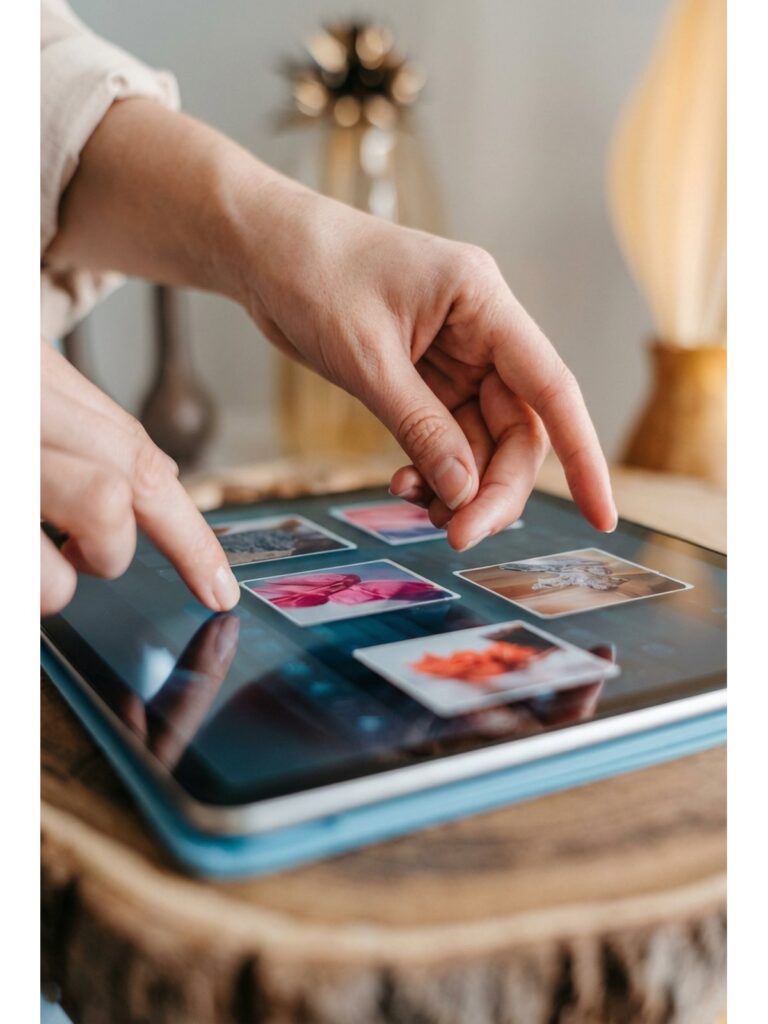
Tablet vision boards are my favourite for interactive use. Open them in a note-taking app and add handwritten reflections, check off milestones, or doodle new ideas directly onto your board.
Tips for an Effective Digital Vision Board
Quick Answer: An effective digital vision board uses high-quality images, a cohesive colour palette, specific goals mixed with feeling-based imagery, and gets updated quarterly to stay relevant.
- Use high-resolution images — blurry photos on your wallpaper look terrible and reduce the emotional impact
- Stick to a colour palette — 3-4 complementary colours keep the board looking polished
- Mix specific goals with feeling words — “Save £10K” alongside “Financial Freedom”
- Update quarterly — swap out achieved goals and add new ones
- Create separate boards for phone and desktop — different formats need different layouts
- Save previous versions — looking back at old boards and seeing what manifested is incredibly motivating
Supplies and Tools
While digital vision boards are mostly free to create, a good stylus pen for your tablet makes the design process much smoother. And if you want to print your digital board too, some quality glossy photo paper brings it to life.

| 
| 
|
This post contains affiliate links, which means I may earn a small commission at no extra cost to you if you make a purchase. I only recommend products I genuinely love and use myself!
Free Digital Vision Board Planning Workbook
Before you open Canva, use this planning workbook to clarify your goals, choose your theme, and map out your board layout. It includes intention-setting prompts, a colour palette picker, and layout planning pages so your digital vision board has real direction behind it.
Want even more digital templates? Browse my Payhip shop for premium design kits!
Frequently Asked Questions
Is Canva free for making vision boards?
Yes! Canva’s free version has everything you need — templates, stock photos, text tools, and custom canvas sizes. The Pro version adds more stock images and features, but it’s absolutely not necessary for a beautiful vision board.
What size should a digital vision board be?
For phone wallpapers: 1080×1920 pixels. For desktop: 1920×1080. For tablets: 2048×2732 (iPad Pro) or 1620×2160 (iPad). For social sharing: 1080×1080 (square) or 1080×1350 (portrait).
Can I use Pinterest as a vision board?
Absolutely. Create a secret board, pin images that represent your goals, and add detailed descriptions about why each image matters. The advantage is you can add new pins anytime without redesigning the whole board.
How often should I look at my digital vision board?
If it’s your wallpaper, you’ll see it naturally throughout the day. But take 2-3 minutes each morning to really look at it intentionally — let each image trigger the feeling of your goals being real. That deliberate focus is what makes it powerful.
Final Thoughts
A digital vision board puts your goals right where you spend most of your time — on your screens. Download both free packs, spend an evening designing your board on Canva, and set it as your wallpaper. Future you will thank present you for the daily reminder of where you’re headed.
Head over to my YouTube channel for more creative tutorials and inspiration. Hit subscribe so you don’t miss the next one!
You Might Also Like
- 75 Free Vision Board Printables for 2026
- Vision Board Ideas for Manifestation
- 100 Sketchbook Prompts
- Easy Watercolor Sketchbook Ideas
- Sketch Ideas for Beginners
Pin this for later!