Hello lovely! If you’ve bought something or grabbed a freebie and can’t find it, don’t worry. Nothing is lost, and this page will get you to your files in a minute or two. Tap the bit that sounds like you:
- 💌 I signed up for a free printable
- 🛍️ I bought something from my shop
- 🎨 I’m a Creation Club member
- 🧡 I’m on Patreon
- 🖌️ I bought Procreate brushes, stamps or a palette
- 🖨️ It printed too big, too small or cut off
- 🤍 I’m still stuck
💌 I signed up for a free printable
- Look on the page first. Lots of my freebie pages show a download button straight after you press Subscribe, so you don’t have to wait for anything. If the form won’t respond at all, tap a choice on the grey privacy box first; the form stays frozen until you do.
- Then check your email. I also send it to your inbox, from info@artsydee.com. It usually arrives within a few minutes. If it isn’t there, look in Spam, Junk or Gmail’s Promotions tab, or search your email for “Artsydee”.
- Add me to your contacts. Saving info@artsydee.com as a contact stops future freebies hiding in spam.
- Keep the email. The download link in it keeps working, so you can come back and download again from that same email whenever you like.
- Asked for two or three freebies and only one arrived? If you’re already on my list, the email system sometimes decides you’ve had one before and quietly skips it. It isn’t you! Just email me and tell me which ones you wanted, and I’ll send them over.
There’s more help with the sign-up form on my 30-second download fix page, and lots of freebies to browse in the free printables library.
🛍️ I bought something from my shop
My shop runs on Payhip, so your receipt and download links come from Payhip, not from me. They arrive the moment you pay.
- Find the email. Search your inbox, Spam and Promotions for “Payhip”. Your download buttons are inside that email.
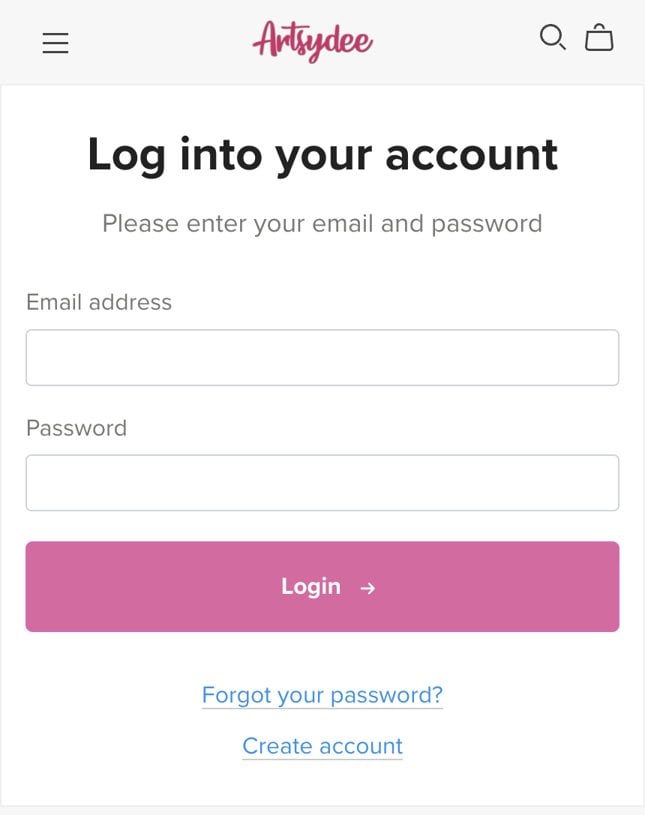
- Lost it? Use your shop account. Go to payhip.com/Artsydee/b-account and log in with the email address you bought with. Never set a password? Tap Create account and use that same email, or tap Forgot your password? to set one. Your purchases from my shop are listed in your account, ready to download again. You never pay twice.
- On a phone or iPad? Downloads usually land in the Files app, in the Downloads folder (iPhone and iPad), or in your Downloads folder (Android). Big kits download more happily on Wi-Fi.
PDF or zip? Which one do I want?
- The PDF has every page in one file. Open it and press print. This is the easy one for most people.
- The zip holds every page as its own picture file (PNG), which is handy for printing one page at a time or using pages in Procreate or Canva. Big kits come as a few smaller zips so they download reliably.
- Opening a zip: on an iPhone or iPad, tap it in the Files app and it unzips into a folder next to it. On Android, open it in the Files app and tap Extract. On a Mac, double-click it. On Windows, right-click it and choose Extract All.
🎨 I’m a Creation Club member
Your membership works differently from a one-off purchase. Your kits don’t come as one big download. They live in your member dashboard, ready whenever you want them.
- Quickest way in: open any of your member emails from me and click the button. It takes you straight to the newest post.
- Or log in directly at payhip.com/Artsydee/b-account with the email address you joined with (tap “Forgot your password?” if you need a new one), then open your membership.
- Where everything lives: the newest post is at the top, and every past release is underneath it. Scroll down and it’s all there, to download as many times as you like. The files are at the bottom of each post.
- Seeing an old kit instead of the new one? That’s almost always your browser showing a saved copy of the page. Refresh it, or open the link again from your newest member email.
🧡 I’m on Patreon
- Log in to Patreon and open my page at patreon.com/Artsydee, then open the post you want.
- The files are attached at the bottom of each post, underneath the pictures and text. Tap the file name to download it. If the app won’t download, open the same post in your web browser instead.
- A padlock on a post means it belongs to a different membership tier than yours.
🖌️ I bought Procreate brushes, stamps or a palette
- Download on your iPad (or move the file there), and unzip it first if it arrived as a .zip.
- Brushes and stamps (.brushset): tap the file in the Files app and it opens in Procreate. The new set appears at the very bottom of your brush library, so scroll right down.
- Colour palettes (.swatches): tap the file in the Files app the same way. It appears at the bottom of your Palettes list.
- Still not showing? My Procreate brushes not loading guide walks through the usual fixes.
🖨️ It printed too big, too small or cut off
- My printables are A4. If your printer uses A4, print at 100% (sometimes called “Actual size”).
- Using US Letter paper? Choose “Fit to page” (also called “Scale to fit” or “Shrink oversized pages”) in the print box. It shrinks the page a tiny bit so nothing gets cut off.
- Tags, labels and cut-outs come several to a sheet. Print the whole page, then cut them out. If they look huge, check you haven’t printed a single tag zoomed to fill the page.
- Paper: ordinary printer paper is lovely for collage and journal pages. Use thin card for tags and anything you fold or stand up. For painting, here’s how I print templates on watercolour paper without jamming the printer. Check the heaviest paper your printer can take first.
🤍 Still stuck? I’ve got you
Just email me at info@artsydee.com and I’ll sort it out personally. To help me find you quickly, please tell me:
- the email address you used to buy or sign up (it may not be the one you’re writing from), and
- the name of the product, kit or freebie you’re looking for.
That’s all I need. You’re never on your own with this, and I’ll always help you get to your files. 💛
Quick questions
I used a different email by mistake. Can you still find my order?
Yes! Email me with the product name and any email addresses you might have used, and I’ll track it down.
How do I cancel my Creation Club membership?
Everything you need is on my refunds and cancelling page. Or just email me and I’ll cancel it from my side, no questions asked.